In development
Product Clarity
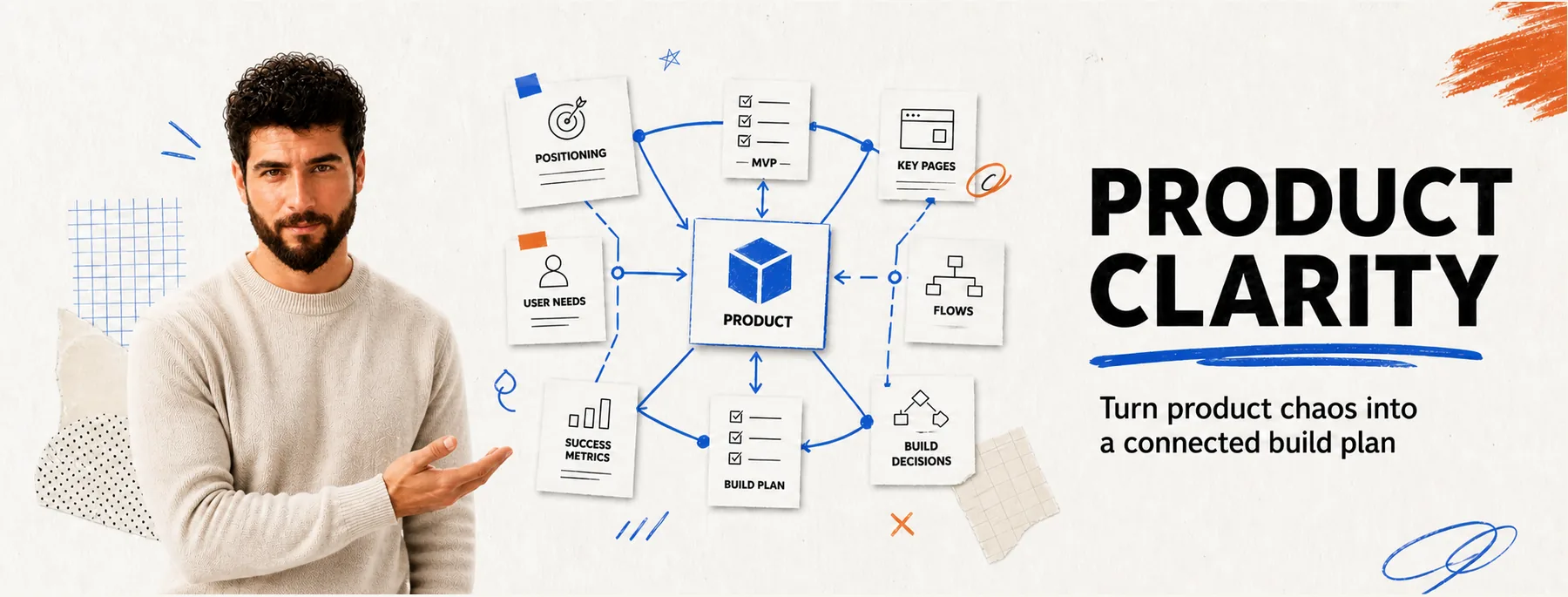
A planning system for solo SaaS founders building with AI. It keeps positioning, MVP, pages, flows, and technical decisions connected in one place — so when one feature changes, you see what else breaks before the code does, and your AI tools get the product context, not just a ticket.
01 / The problem
More features, less clarity.
AI made writing code fast. The expensive part moved: it’s now deciding what to build, in what order, and knowing what each change touches. Every idea sounds reasonable, the product grows in four directions at once, and each change breaks something you didn’t think was connected.
02 / What it connects
One product. One connected picture.
Change one, and the connected pieces update with it — instead of drifting out of sync across five documents.
03 / How it’s different
Not another document generator.
- A PRD generator writes a document.Product Clarity keeps the decisions connected, so changing one updates what it affects.
- A roadmap tool lists what’s next.It shows why — the dependencies that decide what has to come first.
- An AI coding agent gets a ticket.It gets the product context: the invariants, the non-goals, and what a change is allowed to touch.
04 / See what breaks
One checkbox, five systems.
“Let users archive an item” sounds like one feature. It quietly touches billing, search, export, and reminders. Product Clarity makes that cascade visible before the code does — so you scope it on purpose, not by accident.

The method, running
Change one price. See everything that assumed the old one.
A product is a set of decisions that quote each other. Move one and the quotes go stale somewhere else — usually somewhere nobody thinks to look. This is one real change, followed through a small product.
Nothing is changed yet. 11 things depend on this price.5 places state the old price and are now wrong in public. 6 more were calculated from it and are quietly out of date.
- Pricing planPro plan$29$49
- PagePricing pageShows $29Still shows $29Must change
- MessageUpgrade prompt“Go Pro for $29”Still offers $29Must change
- FlowCheckoutCharges $29Still charges $29Must change
- BillingStripe pricePrice ID for $29Points at the old priceMust change
- SystemSubscription syncMaps price ID to planMaps to the retired IDMust change
- AnalyticsRevenue eventsTracks value = 29History splits at the changeMust re-check
- Business logicPlan economicsARPU · conversion · LTVEvery figure assumed $29Must re-check
- MetricRevenue forecastMRR built on $29Forecast is now staleMust re-check
- ExperimentPricing testBaseline $29Baseline no longer holdsMust re-check
- UIBilling settingsPlan and upgrade stateExisting customers: which price?Must re-check
- CopySales copyEmails · docs · FAQMay still quote $29Must re-check
5 hold the number itself
Pricing page, Upgrade prompt, Checkout, Stripe price, Subscription sync — each one states $29 somewhere. Miss one and a customer is quoted a price you no longer charge.
6 were built on the number
Revenue events, Plan economics, Revenue forecast, Pricing test, Billing settings, Sales copy — none of them mention $29, and all of them assumed it. Nothing breaks loudly here; the figures are simply wrong from now on.
05 / Status
Built in public, right now.
The documentation is written and the build is underway. I’m sharing the decisions, the mistakes, and the progress as I go — the same thinking that powers the product.
Early access
Be first when it ships.
First invites go to this list as Product Clarity ships. No spam — just the launch and the occasional build update.
You’re on the early-access list. ✓ One question — what’s hardest to keep clear in your build right now? Tell me.
That did not go through. Please try again or email me directly.
Prefer the hands-on version now? Apply for a Clarity Sprint.